


Best Privacy Wallets: Top Software and Hardware Choices for 2025
Privacy matters. If you value financial privacy, choosing one of the best privacy wallets is the first step to keeping your crypto transactions private and your identity protected. This guide walks you through top privacy wallets—software and hardware—explains how they protect you, shows setup steps, and answers common questions.
Why privacy wallets matter
Standard wallets expose transaction data that can be linked to your identity. The best privacy wallets reduce traceability by using coin-mixing, privacy-focused protocols, or privacy-first blockchains like Monero. Whether you want plausible deniability, reduced tracking from exchanges and chain analysis firms, or protection from oversharing, a privacy wallet is essential.
How to choose the best privacy wallets
- Threat model: Who are you hiding from—ad trackers, exchanges, or state-level actors?
- Supported coins: Do you need Bitcoin privacy or Monero-native privacy?
- Usability: Are you comfortable with advanced setups (CoinJoin, Tor, Electrum server configuration)?
- Security: Software-only vs hardware + privacy wallet combos.
- Openness: Open-source code, reproducible builds, and strong community audits.
Top picks — the best privacy wallets (overview)
Below are widely regarded choices across categories. Each entry lists what makes it private, pros/cons, and quick setup steps.
1. Wasabi Wallet (Bitcoin) — CoinJoin privacy
Wasabi Wallet is one of the pioneers for Bitcoin privacy on desktop. It uses CoinJoin (Chaumian CoinJoin) to mix coins and reduce traceability. Wasabi emphasizes open-source development and Tor integration.
Why it’s one of the best privacy wallets:
- Built-in CoinJoin mixing server.
- Tor by default to hide IP addresses.
- Open-source and actively developed.
Quick setup:
- Download Wasabi from the official site: wasabiwallet.io.
- Verify the release signatures, install and create a new wallet.
- Enable CoinJoin and fund your wallet using small, consistent deposits.
- Run mixing rounds until desired anonymity set is achieved.
2. Samourai Wallet (Bitcoin, Android) — privacy-first mobile
Samourai Wallet is focused on mobile privacy for Bitcoin. It provides Whirlpool (a CoinJoin implementation), Ricochet, and STONEWALLx2 transaction obfuscation techniques, with strong Tor and VPN support.
Why it’s one of the best privacy wallets:
- Mobile-first privacy features and Whirlpool coin-mixing.
- Dojo privacy-focused full-node backend (self-hosting option).
- Stealth features to reduce metadata leakage.
Quick setup:
- Install Samourai from the official site: samouraiwallet.com.
- Create and securely store your recovery seed.
- Use Whirlpool to mix coins; consider using Dojo for a private backend.
3. Monero GUI / Feather Wallet (Monero) — privacy by design
Monero is a privacy-first blockchain and wallets like the Monero GUI or Feather are excellent choices if you need strong on-chain privacy without mixing tools. Monero uses ring signatures, stealth addresses, and RingCT to conceal amounts and sources.
Why it’s one of the best privacy wallets:
- Default on-chain privacy — no mixing needed.
- Strong cryptographic guarantees for untraceability and unlinkability.
Quick setup:
- Download the Monero GUI from the official site: getmonero.org.
- Sync with the Monero blockchain (or use a trusted remote node carefully).
- Create a wallet and back up your seed securely.
4. Hardware wallets (Ledger, Trezor) + privacy workflows
Hardware wallets like Ledger and Trezor are not privacy wallets by default, but when combined with privacy software (Wasabi, Samourai via compatibility layers), they become powerful. Use them to hold keys offline while using a privacy wallet for transaction construction.
Why they belong on the list of best privacy wallets:
- Hardware isolation of private keys.
- Compatibility with privacy tools preserves security while improving privacy.
Quick setup:
- Initialize your hardware wallet from the official vendor site and record the seed offline.
- Connect it to a privacy wallet (Wasabi supports Ledger; use bridge tools where available).
- Sign transactions on-device while privacy software handles CoinJoin or other protections.
Practical examples and step-by-step privacy workflow
Example: Using Ledger + Wasabi for Bitcoin privacy (simple workflow):
- Buy BTC to your Ledger public address (avoid reusing addresses).
- Open Wasabi and connect your Ledger as a watch-only or signing device.
- Move funds into Wasabi in uniform-sized inputs if possible.
- Participate in CoinJoin rounds until your anonymity goals are met.
- Spend from mixed outputs to a new fresh address or to services that respect privacy.
Best practices when using privacy wallets
- Always verify downloads and signatures from official sources to avoid tampered builds.
- Use Tor or a trusted VPN to hide IP-level metadata.
- Avoid address reuse and keep separate wallets for privacy-sensitive funds.
- Mix small, consistent amounts and allow multiple mixing rounds for better anonymity.
- Consider self-hosted nodes (Bitcoin or Monero) to avoid trusting remote servers.
Risks and limitations
No system is perfect. Privacy wallets reduce linkability but cannot guarantee absolute anonymity against well-resourced adversaries—especially if OPSEC fails (seed leaks, KYC linking, IP leaks). Combining multiple techniques (hardware wallets, Tor, CoinJoin or Monero) significantly increases privacy.
Authoritative resources and further reading
- Monero official site: getmonero.org
- Wasabi Wallet: wasabiwallet.io
- Samourai Wallet: samouraiwallet.com
- Ledger: ledger.com
- Further reading on privacy tools in mainstream press: CoinDesk
FAQs — Frequently Asked Questions
Q1: What are the best privacy wallets for Bitcoin?
For Bitcoin, top choices are Wasabi Wallet (desktop CoinJoin) and Samourai Wallet (mobile Whirlpool). Combining these with a hardware wallet provides strong privacy and security.
Q2: Is Monero a better privacy choice than Bitcoin with mixers?
Monero provides default on-chain privacy and is generally harder to analyze than mixed Bitcoin, but both approaches have trade-offs. Monero avoids the need for external CoinJoin steps, while Bitcoin with Wasabi/Samourai provides privacy within the Bitcoin ecosystem.
Q3: Can I use privacy wallets with exchanges?
Exchanges often require KYC, and sending funds from an exchange to a privacy wallet can link your identity to those coins. If privacy is essential, minimize on/off-ramps through KYC exchanges or use privacy-respecting onramps and peer-to-peer options.
Q4: Are privacy wallets legal?
In most jurisdictions, privacy wallets are legal to use. However, local regulations vary—check your jurisdiction and do not use privacy tools for illegal activities.
Q5: How do I publish this article to WordPress?
- Log in to your WordPress admin and go to Posts → Add New.
- Set the post title to: “Best Privacy Wallets: Top Software and Hardware Choices for 2025.”
- Switch to the HTML/Text editor and paste the full HTML content from this article into the editor.
- Set the slug/permalink to: best-privacy-wallets, choose the category Crypto Security, add tags, upload featured image if desired.
- Fill SEO meta title and description (use the values provided), verify external links open in new tabs, and publish.
Conclusion
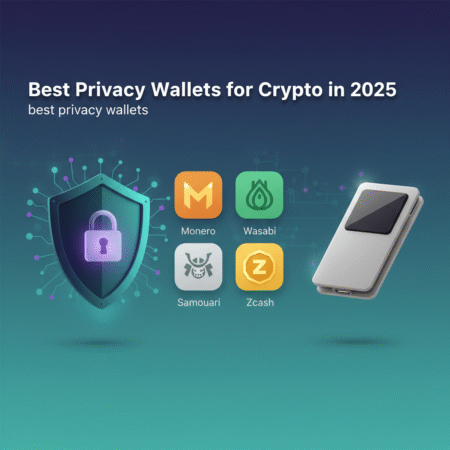
Choosing one of the best privacy wallets depends on your needs: Monero wallets for default on-chain privacy, Wasabi and Samourai for Bitcoin mixing, and hardware wallets for secure key storage. Combine tools and best practices—Tor, hardware devices, careful on/off-ramps—to maximize privacy. Start with a small test amount, verify official downloads, and build a workflow that fits your threat model.
Action: Download wallets only from official sites listed above and test your setup with small amounts before moving significant funds.