


Best Privacy Wallets: A Practical Guide to Choosing and Using Privacy-Focused Crypto Wallets
Privacy in cryptocurrency is a growing concern. If you value confidentiality for on-chain activity, this guide outlines the best privacy wallets available today, explains how they work, and walks you through setup and best practices. Whether you want a wallet for Monero’s built-in privacy or a Bitcoin wallet that offers coin-joining and transaction obfuscation, this post covers practical choices and step-by-step instructions.
Why privacy wallets matter
Public blockchains record transactions publicly. Even if addresses don’t include personal names, analysis companies and chain analytics can link activity, exposing balances and spending habits. Choosing one of the best privacy wallets helps reduce linkability, minimize metadata leakage, and protect financial privacy.
Top privacy wallet types and what they protect
- Privacy-native coins wallets (Monero): conceal senders, recipients, and amounts by design.
- Coin-join and mixing wallets (Wasabi, Samourai): obfuscate Bitcoin transactions by combining many users’ inputs.
- Shielded transactions (Zcash): provide optional privacy using zk-SNARKs.
- Hardware wallets (Ledger, Trezor with Monero integration): store keys offline and work with privacy wallets for additional safety.
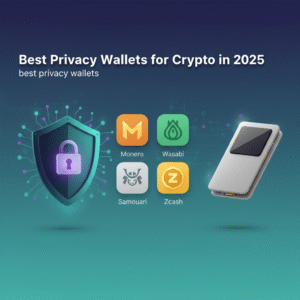
Best privacy wallets — quick shortlist
- Monero GUI / MyMonero — best for Monero native privacy.
- Wasabi Wallet — best Bitcoin wallet for CoinJoin privacy (desktop).
- Samourai Wallet — mobile-first Bitcoin privacy suite (Android).
- ZecWallet / Zcash GUI — for shielded Zcash transactions.
- Hardware wallets + privacy wallets — Ledger and (limited) Trezor support through integrations.
In-depth: How these privacy wallets work
Monero (Monero GUI, MyMonero)
Monero is privacy-native: it uses ring signatures, stealth addresses, and RingCT to hide senders, recipients and amounts by default. The Monero GUI (official client) or lightweight wallets like MyMonero offer the strongest default privacy for holdings. Visit the official Monero site for downloads and docs: getmonero.org.
Wasabi Wallet (Bitcoin)
Wasabi is a desktop wallet that implements Chaumian CoinJoin via the backend server coordinator and privacy-enhancing techniques like ZeroLink. It groups many users’ UTXOs into single mixed transactions, making tracing much harder. Official site and docs: wasabiwallet.io.
Samourai Wallet (Bitcoin)
Samourai is a mobile (Android) privacy suite featuring Whirlpool (coin-mixing), Stonewall and Ricochet transaction techniques to break common heuristics used by chain analysis. Samourai focuses on operational privacy and includes remote management tools for advanced users: samouraiwallet.com.
Zcash (ZecWallet / Zcash GUI)
Zcash offers optional shielded transactions using zk-SNARK proofs. Shielded addresses provide strong privacy but require more resources. The community-maintained ZecWallet and official Zcash resources guide use: z.cash.
How to choose the best privacy wallets for you
Choosing among the best privacy wallets depends on your threat model, convenience needs, and coin preference. Use this checklist:
- Coin support: Do you need built-in privacy (Monero) or are you using Bitcoin and need coin-join?
- Ease of use: Desktop vs. mobile vs. hardware compatibility.
- Network privacy: Do you want Tor/I2P integration? (Many privacy wallets support Tor.)
- Operational practices: Does the wallet enable address reuse prevention, coin control, and change handling?
- Community and audits: Is the wallet open-source and maintained?
Step-by-step: Setting up Wasabi Wallet (Bitcoin CoinJoin) — quick start
- Download Wasabi from the official site (wasabiwallet.io) and verify the signature.
- Install and enable Tor (Wasabi bundles Tor) or configure it to use your Tor instance.
- Create a new wallet and write down the recovery seed in a secure place (do not store online).
- Fund a coin or UTXO sized for CoinJoin (Wasabi encourages equal-size chunks).
- Join a CoinJoin round — choose the coin(s) to mix, pay the coordinator fee, and wait for confirmations. Repeat mixes for stronger privacy.
- Use coin-control to spend mixed coins from dedicated mixed wallets, and route transactions through Tor.
Wasabi’s documentation includes step-by-step guides and best practices: official docs.
Step-by-step: Using Monero GUI
- Download Monero GUI from getmonero.org and verify signatures.
- Install and run the wallet; choose to run a local node (full privacy) or connect to a trusted remote node (less private).
- Write down your seed and store it offline.
- Send and receive using the generated stealth addresses — Monero hides amounts and addresses automatically.
- For extra network privacy, run Monero over Tor or a VPN.
Best practices when using privacy wallets
- Always verify downloads by checking PGP signatures or hashes.
- Use Tor or a privacy network when running wallets that support it to hide IP metadata.
- Don’t reuse addresses and separate funds for privacy-sensitive spending.
- Combine hardware wallets with privacy wallets when possible to keep keys offline.
- Understand trade-offs: mixing and shielded transactions may increase fees and confirmation times.
Pros and cons: Quick comparison
| Wallet | Strengths | Trade-offs |
|---|---|---|
| Monero GUI | Default, strong privacy; amounts & addresses hidden | Not Bitcoin-compatible; larger blockchain |
| Wasabi | Strong CoinJoin privacy for Bitcoin; open-source | Desktop-only; requires coordination and fees |
| Samourai | Mobile privacy tools; Whirlpool mixing | Android-only (limited iOS support via remote) |
| Zcash shielded wallets | Optional shielded transactions with zk-SNARKs | Usability & resource costs; shielded adoption varies |
Common mistakes to avoid
- Mixing coins then cashing out to centralized exchanges using the same identity — metadata linking defeats privacy.
- Using centralized custodial wallets for private funds — you lose control of keys.
- Neglecting network metadata — IP addresses can deanonymize transactions if Tor isn’t used.
- Publishing your wallet addresses alongside personally identifiable information.
Frequently Asked Questions (FAQs)
Q: What are the absolute best privacy wallets?
A: There’s no single “absolute” wallet — it depends on your needs. For built-in privacy, Monero wallets (Monero GUI, MyMonero) are top choices. For Bitcoin privacy, Wasabi (desktop) and Samourai (mobile) are widely regarded among the best privacy wallets.
Q: Can I use a hardware wallet for privacy?
A: Yes. Hardware wallets like Ledger can store keys offline and integrate with privacy wallets (with caveats). For Monero, Ledger Live and Monero integrations exist but require additional setup. Hardware wallets reduce key-theft risk but do not automatically anonymize on-chain activity.
Q: Is mixing illegal?
A: Laws vary by jurisdiction. Mixing itself is a technique for privacy; however, using mixers to launder proceeds from illegal activity is unlawful. Always use privacy tools responsibly and in compliance with local law.
Q: Do privacy wallets cost more to use?
A: Privacy features can increase fees and wait times. CoinJoin and shielded transactions can be more expensive because they require extra transactions or computational proofs.
Q: How many times should I mix for good privacy?
A: More rounds generally increase anonymity, but diminishing returns apply. Two to three rounds significantly improve privacy for many users; advanced threat models may require more rounds or combining techniques.
Additional resources
- Monero official documentation: getmonero.org
- Wasabi Wallet docs: wasabiwallet.io
- Samourai Wallet: samouraiwallet.com
- Electronic Frontier Foundation guide to privacy: eff.org
Conclusion
Choosing among the best privacy wallets starts with your coin choice and threat model. Monero offers default, strong privacy; Bitcoin users should consider Wasabi or Samourai for advanced coin obfuscation; Zcash offers optional shielded confidentiality. Combine software privacy wallets with hardware storage, use Tor, and practice good operational security to get the best protection for your funds.
Ready to try one? Start by downloading the official wallet for your coin, verify the signature, and test with a small amount. Privacy is a process — consistently applying best practices is as important as your wallet choice.