


Best Privacy Wallets: Protect Your Crypto and Identity
Privacy is an increasingly vital concern for crypto users. If you value anonymity, transaction unlinkability, and minimizing on-chain traceability, choosing one of the best privacy wallets is essential. This guide explains the top privacy-focused wallets (hardware, desktop, and mobile), how they protect you, step-by-step setup guidance, and practical tips to improve your on-chain privacy.
Why privacy wallets matter
Most mainstream wallets prioritize usability over privacy, exposing address reuse, transaction history, and linkage to centralized services. The best privacy wallets implement techniques like CoinJoin, on-chain stealth addresses, ring signatures, and zero-knowledge proofs to break transaction linkability. Good privacy reduces the risk of deanonymization by block explorers, data brokers, and chain analytics firms.
What to look for in the best privacy wallets
- Privacy features: CoinJoin support, built-in coin control, address reuse prevention, and integration with privacy coins (Monero, Zcash).
- Security: Open-source code, strong encryption, hardware wallet support, and regular audits.
- Usability: Clear UX for privacy actions and recovery procedures.
- Community & maintenance: Active development and transparent changelogs.
Top picks — Best privacy wallets (by category)
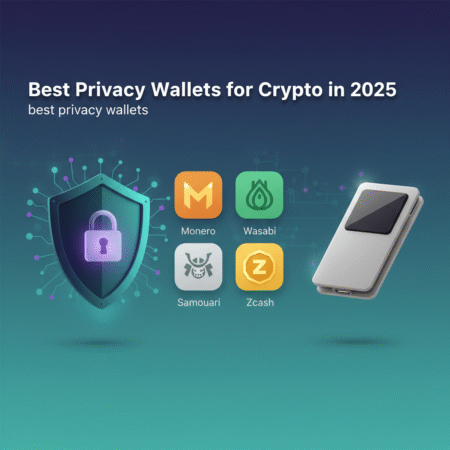
1) Monero GUI / Monerujo / Cake Wallet (Monero wallets)
Monero (XMR) is built for privacy by default using ring signatures, stealth addresses, and RingCT. If privacy is your priority, Monero wallets are among the best privacy wallets because the currency itself is privacy-focused.
- Monero GUI: Full-featured desktop wallet with strong privacy defaults. Good for power users running a local node.
- Monerujo: Android mobile wallet focused on privacy with lightweight node options.
- Cake Wallet: iOS/Android friendly option supporting Monero and privacy features.
Official Monero docs: getmonero.org
2) Wasabi Wallet (Bitcoin — Desktop CoinJoin)
Wasabi is a desktop wallet that implements Chaumian CoinJoin for Bitcoin. It offers strong coin control, zero-knowledge proofs for CoinJoin coordination, and deterministic wallets optimized for privacy. For Bitcoin users who want protocol-level privacy without switching coins, Wasabi ranks among the best privacy wallets.
Wasabi website: wasabiwallet.io
3) Samourai Wallet (Bitcoin — Mobile CoinJoin + Staking Avoidance)
Samourai Wallet is a mobile-first Bitcoin wallet designed for privacy: it offers Whirlpool (CoinJoin), Stonewall, Ricochet, and plenty of coin control features. The wallet focuses strongly on avoiding address clustering and linkability and is a top pick for mobile privacy users.
Samourai website: samouraiwallet.com
4) Zcash Wallets (Shielded Transactions)
Zcash supports optional shielded transactions using shielded addresses and zero-knowledge proofs (zk-SNARKs). If you need selective privacy and compatibility with Zcash, shielded wallets like zecwallet or official Zcash wallets are among the best privacy wallets for shielded ZEC usage.
Zcash official site: z.cash
5) Hardware wallets with privacy workflows (Ledger, Trezor + privacy tools)
Hardware wallets like Ledger and Trezor provide strong key security. While they are not privacy wallets by themselves, pairing them with privacy-focused software (Wasabi, Samourai via Whirlpool integration, or using coin control with Electrum + Tor) makes them powerful options: they combine private key security and privacy-preserving transaction construction.
Ledger: ledger.com
How these wallets implement privacy (short primer)
- CoinJoin / Chaumian CoinJoin: Mixes multiple users’ inputs into a single transaction, breaking input-output linkage (used by Wasabi, Samourai).
- Ring signatures: Mix input with decoys so an output cannot be traced to a single input (used by Monero).
- Stealth addresses: Creates one-time addresses to prevent address reuse and linkage.
- Zero-knowledge proofs: Enable verification of transaction validity without revealing details (used by Zcash shielded transactions).
- Tor / SOCKS5 integration: Hides your IP address when broadcasting transactions.
Step-by-step: How to set up a privacy-first wallet (example workflows)
Example A — Setting up Wasabi Wallet (desktop)
- Download Wasabi from the official site (wasabiwallet.io) and verify signatures to ensure authenticity.
- Install and create a new wallet. Write down the recovery seed & store it offline.
- Enable Tor/Do not use your regular network. Wasabi uses Tor by default for privacy.
- Fund the wallet with a small amount first. Use coin control to label outputs.
- Join a CoinJoin (CoinJoin rounds show availability). Participate and wait for confirmations.
- After mixing, use new change addresses and avoid address reuse. Store your post-mix UTXOs separately.
Example B — Using Monero GUI (desktop)
- Download Monero GUI from getmonero.org and verify signatures.
- Create a new wallet and securely record your 25-word mnemonic.
- Run your own node (recommended) or connect to a trusted remote node.
- Send/receive funds: Monero transactions are private by default, but avoid reusing payment IDs and share view-only keys only when necessary.
Example C — Combine hardware + privacy software
- Set up your hardware wallet (Ledger/Trezor) and save the recovery seed, offline and encrypted if possible.
- Use privacy software (Wasabi, Electrum with CoinJoin integration, or Samourai via supported flows) that can sign transactions with the hardware device.
- Construct and mix transactions in the software while keeping keys on the hardware device for signing.
- Broadcast via Tor and avoid address reuse.
Practical privacy tips — beyond the wallet
- Always use Tor or a VPN when broadcasting sensitive transactions; Tor is preferred for unlinkability.
- Don’t reuse addresses; use new addresses for each receive operation.
- Keep coin separation: avoid moving mixed coins and unmixed coins together.
- Limit KYC exposure: prefer peer-to-peer exchanges or privacy-respecting on/off ramps when possible.
- Use hardware wallets for long-term cold storage; combine them with privacy tools for spending.
Comparing the best privacy wallets — quick pros & cons
| Wallet | Strength | Weakness |
|---|---|---|
| Monero wallets | Privacy by default, strong obfuscation | Not Bitcoin-compatible; regulatory scrutiny |
| Wasabi Wallet | Strong CoinJoin, desktop control | Desktop only; learning curve |
| Samourai Wallet | Mobile privacy, Whirlpool mixing | Android-only for full features; slightly complex UX |
| Hardware wallets + privacy tools | Best key security + privacy | Requires extra setup and privacy-aware software |
Authoritative resources & further reading
- Monero — Official docs: https://www.getmonero.org/
- Wasabi Wallet: https://wasabiwallet.io/
- Samourai Wallet: https://samouraiwallet.com/
- Electronic Frontier Foundation — Privacy basics: https://www.eff.org/
- Zcash: https://z.cash/
Frequently Asked Questions (FAQs)
Q: What are the best privacy wallets for Bitcoin?
A: For Bitcoin, Wasabi Wallet (desktop) and Samourai Wallet (mobile) are widely regarded as the best privacy wallets because they implement CoinJoin mixing and advanced coin control.
Q: Is Monero the most private option?
A: Monero provides privacy by default and is extremely hard to trace at the protocol level. If you need default and consistent privacy, Monero wallets are top candidates among the best privacy wallets. However, consider regulatory and exchange limitations for XMR.
Q: Can I use a hardware wallet for privacy?
A: Yes. Hardware wallets secure keys and can be combined with privacy software (Wasabi, Electrum with privacy plugins, or Samourai flows) to sign transactions while keeping keys offline — a recommended approach for high-value users.
Q: Are privacy wallets legal?
A: In most jurisdictions, privacy wallets are legal to own and use. However, some countries impose restrictions on privacy coins or heavy KYC requirements. Always check local laws.
Q: Will using a privacy wallet make me a target?
A: Using privacy tools signals a desire for discretion but does not inherently make you a target. Good hygiene—offline seed storage, Tor usage, and splitting funds—reduces risks.
Conclusion
Choosing the best privacy wallets depends on your needs: Monero wallets offer default privacy, Wasabi and Samourai provide strong Bitcoin privacy through mixing, and hardware wallets paired with privacy software deliver the best combination of key security and privacy. Combine the right wallet with Tor, sound operational security, and careful coin management to significantly reduce the chance of on-chain deanonymization.
Ready to protect your crypto privacy? Start by identifying which currency you use (Bitcoin vs. Monero vs. Zcash), pick a wallet from the selections above, and follow the setup steps carefully. For continued learning, consult the official documentation linked above and consider joining privacy-focused community forums to keep current with best practices.