


Best Privacy Wallets: Top Picks, Setup Steps & Privacy Tips
Looking for the best privacy wallets to keep your crypto transactions private and secure? Privacy in crypto is more important than ever. This article walks through the leading privacy-focused wallets, practical setup steps, and real-world privacy tips you can apply today.
Why choose privacy wallets?
Not all wallets are created equal. While most wallets focus on security and convenience, privacy wallets minimize traceability, reduce metadata leaks, and offer features that help shield transaction history from chain analysis and third parties. Choosing the best privacy wallets depends on the coins you use, the level of privacy you need, and whether you prefer software, mobile, or hardware solutions.
Top picks: Best privacy wallets (quick list)
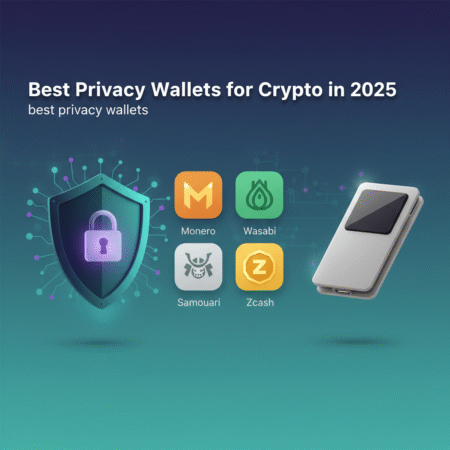
- Monero GUI / Monerujo (Monero) — Best for native privacy (ring signatures, RingCT, stealth addresses).
- Wasabi Wallet (Bitcoin) — Best for CoinJoin-based Bitcoin privacy on desktop.
- Samourai Wallet (Bitcoin) — Mobile-first privacy with Whirlpool coinmixing and privacy-focused features.
- Sparrow Wallet (Bitcoin) — Desktop wallet with privacy features and coin control for power users.
- Hardware wallets (Ledger, Trezor) + privacy wallets — Best for offline key security combined with privacy tools.
Each entry above represents one of the best privacy wallets for different use cases: Monero for built-in privacy, Wasabi and Samourai for Bitcoin privacy, and combinations with hardware wallets for better key security.
Detailed reviews: What makes these the best privacy wallets?
Monero (Monero GUI, Monerujo)
Monero is a privacy-first cryptocurrency. Wallets like the Monero GUI and mobile clients such as Monerujo provide native privacy via ring signatures, RingCT that hides amounts, and stealth addresses. This makes Monero one of the most private coins and its wallets top candidates for the best privacy wallets list.
Wasabi Wallet (Bitcoin)
Wasabi Wallet uses Chaumian CoinJoin to mix Bitcoin transactions, improving privacy by breaking on-chain linkability. Wasabi is a desktop wallet that emphasizes privacy through built-in CoinJoin, Tor integration, and coin control—features that earn it a spot among the best privacy wallets for Bitcoin.
Samourai Wallet (Bitcoin)
Samourai Wallet is mobile-first and focuses on user privacy with features like Whirlpool (CoinJoin-style mixing), Stonewall, and Ricochet. For Android users who want on-device privacy controls, Samourai is frequently listed among the best privacy wallets for Bitcoin.
Sparrow Wallet
Sparrow Wallet is a desktop client that balances usability with advanced privacy controls and coin management. It integrates with hardware wallets and supports manual CoinJoin coordination via external services, making it a strong contender in the set of best privacy wallets for power users.
Hardware wallets + privacy wallets
Hardware wallets like Ledger and Trezor secure private keys offline. When paired with privacy tools (for example, using Ledger with Wasabi or Sparrow), they can be part of the workflow for the best privacy wallets strategy: keys stay offline while you still use on-chain privacy techniques.
Step-by-step: How to get started with privacy wallets
1) Choosing the right wallet
- Identify your primary coin (Bitcoin, Monero, etc.).
- Decide between native privacy (Monero) or privacy tools (Wasabi, Samourai for Bitcoin).
- Consider hardware for key security (Ledger/Trezor) if you hold significant funds.
2) Download and verify
Always download wallets from official sites and verify signatures when available. For example, download Monero from getmonero.org and Wasabi from wasabiwallet.io. Verifying PGP or SHA256 signatures ensures you aren’t using tampered software.
3) Install, create wallet & backup
- Create a new wallet and write down the recovery seed on paper—do not store it online.
- Set a strong wallet password and enable passphrase protection if supported.
- For hardware wallets, generate and store the recovery seed offline in a secure location.
4) Connect to privacy networks
Use Tor for wallet network traffic when supported (Wasabi and many Monero clients support Tor). Consider using a trustworthy VPN as an additional layer, but do not rely on it alone for privacy.
5) Use privacy features correctly
- For Bitcoin: Use CoinJoin (Wasabi) or Whirlpool (Samourai) and practice good coin control.
- For Monero: Use default Monero privacy features and avoid leaking memo fields or IP metadata.
- Set separate addresses for receipts and avoid reusing addresses.
Practical example workflows
Example A — Bitcoin using Wasabi + Ledger
- Acquire a Ledger hardware wallet and set it up offline.
- Install Wasabi on a desktop and verify the download.
- Connect Ledger to Wasabi, receive BTC into a hardware-backed Wasabi address.
- Participate in Wasabi CoinJoin rounds to mix coins.
- After mixing, spend from the mixed outputs to new addresses when possible.
Example B — Mobile privacy with Samourai
- Install Samourai (Android) and create a new wallet. If you use iOS, look for recommended alternatives since Samourai is Android-centric.
- Use Whirlpool to mix funds in different pools.
- Use Stonewall and PayNyms to reduce metadata leaked during spends.
Privacy best practices (beyond the wallet)
- Limit KYC exposure: Try to minimize linking real identity to addresses when privacy is needed.
- Use fresh addresses: Avoid address reuse and never post wallets publicly tied to your identity.
- Network privacy: Prefer Tor when available and consider multi-hop privacy chains for high-sensitivity transactions.
- Segregate funds: Keep privacy-critical funds separate from day-to-day wallets used with exchanges.
- Audit your tools: Use open-source wallets where the community can review code.
Risks & trade-offs
No solution is perfect. Even the best privacy wallets have trade-offs:
- Monero provides strong on-chain privacy but is less compatible with mainstream exchanges and some services.
- CoinJoin-based solutions (Wasabi, Samourai) improve Bitcoin privacy but require coordination and may look suspicious to some custodial services.
- Hardware wallets protect keys but don’t automatically guarantee transaction privacy—use them with privacy-aware software.
Authoritative resources
Learn more from these trusted sources:
- Monero Official Site — documentation and official wallet downloads.
- Wasabi Wallet — official site for Wasabi and CoinJoin info.
- Electronic Frontier Foundation (EFF) — privacy best practices and digital rights.
Frequently Asked Questions (FAQs)
Q: What are the absolute best privacy wallets for Bitcoin?
A: For Bitcoin privacy, Wasabi Wallet and Samourai Wallet are widely considered among the best privacy wallets. Wasabi focuses on desktop CoinJoin, while Samourai focuses on mobile privacy and Whirlpool mixing.
Q: Is Monero the most private coin?
A: Monero is designed for privacy by default and offers strong protections like ring signatures and stealth addresses, making Monero wallets among the best privacy wallets if your priority is on-chain anonymity.
Q: Can I use a hardware wallet and still have privacy?
A: Yes. Pairing a hardware wallet (Ledger/Trezor) with privacy software (e.g., Wasabi, Sparrow) secures keys offline while enabling privacy techniques like CoinJoin. Remember that hardware wallets themselves don’t anonymize transaction metadata.
Q: Are privacy wallets illegal?
A: Privacy tools are legal in most jurisdictions. However, some countries regulate or restrict privacy-enhancing technologies. Always check local laws and use privacy tools responsibly.
Q: How do I maintain a good privacy posture?
A: Use wallets that support Tor, avoid address reuse, separate privacy funds from exchange funds, verify downloads, and consider hardware wallets for key security.
Conclusion
Choosing among the best privacy wallets depends on your threat model, the coins you hold, and whether you need mobile convenience or full native privacy. Monero wallets provide strong privacy by default, while Wasabi, Samourai, and Sparrow deliver powerful privacy tools for Bitcoin. Pairing these with hardware wallets and applying the privacy best practices outlined above will significantly reduce traceability and improve your crypto privacy.
Ready to protect your crypto? Pick a wallet from this guide, verify the download links, and follow the setup steps to start using one of the best privacy wallets today.