


Best Privacy Wallets: Top Picks, Setup Steps, and Privacy Tips (2025)
Looking for the best privacy wallets to keep your cryptocurrency transactions private and secure? This guide compares leading privacy-focused wallets, explains how they protect your data, and walks you through setup and best practices. Whether you want strong on-chain anonymity or improved transaction privacy for Bitcoin, you’ll find actionable advice and hands-on steps below.
Why privacy wallets matter
Privacy wallets go beyond simple key storage. They help obfuscate transaction history, prevent address linking, and reduce the data available to chain-analytics firms. For users who value financial privacy — journalists, activists, traders, or everyday users — choosing one of the best privacy wallets can substantially reduce the risk of deanonymization.
At-a-glance: Top picks for best privacy wallets
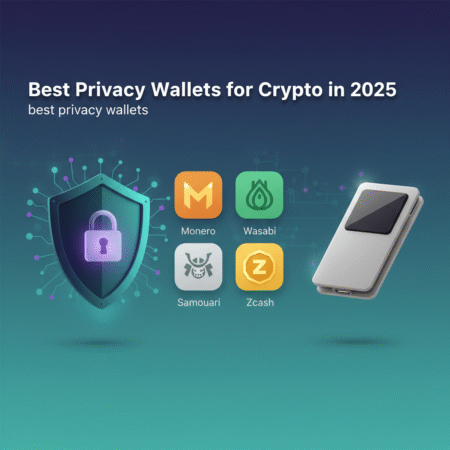
- Monero (GUI/CLI) — Best for native privacy (privacy-by-default).
- Wasabi Wallet — Best Bitcoin wallet for CoinJoin (Chaumian CoinJoin).
- Samourai Wallet — Advanced on-device privacy tools (Whirlpool, STONEWALL).
- Hardware wallets (Ledger, Trezor) + privacy tools — Best for combining cold storage and privacy.
- Electrum (with Wasabi/CoinJoin workflows) — Lightweight option with privacy integrations.
All of the above qualify among the best privacy wallets depending on your needs — Monero for built-in anonymity, and Wasabi/Samourai for Bitcoin privacy enhancements.
Deep dive: How these privacy wallets work
Monero: privacy by default
Monero (XMR) is a cryptocurrency with privacy baked into the protocol. It uses ring signatures, confidential transactions (RingCT), and stealth addresses to hide sender, amount, and recipient details. Running the official Monero GUI or CLI gives you one of the most private on-chain experiences available.
Wasabi Wallet: Chaumian CoinJoin for Bitcoin
Wasabi Wallet implements Chaumian CoinJoin to combine multiple users’ inputs into a single transaction, breaking the on-chain linkability between inputs and outputs. Wasabi focuses on strong privacy while maintaining user control over their private keys. Learn more at the Wasabi Wallet site.
Samourai Wallet: mobile-first privacy tools
Samourai Wallet (Android) offers tools like Whirlpool (CoinJoin variant), Ricochet, and STONEWALL to complicate chain analysis. It pairs well with advanced user workflows and supports integration with hardware wallets for cold storage.
Hardware wallets + privacy: combine cold storage with privacy tech
Hardware wallets (like Ledger and Trezor) keep keys offline. When you combine them with CoinJoin wallets or privacy-focused payment flows, you preserve both custody and privacy. Use a hardware wallet to sign transactions that are then routed through Wasabi or Samourai for privacy.
How to choose the best privacy wallets for you
Choosing among the best privacy wallets requires balancing convenience, threat model, and ecosystem compatibility. Follow these steps:
- Define your threat model: Are you protecting against casual snooping, chain analytics companies, or targeted surveillance?
- Choose currency support: Do you need native privacy (Monero) or Bitcoin privacy (Wasabi, Samourai)?
- Decide on custody: Self-custody vs custodial wallets. Self-custody with hardware keys is recommended for high-value holdings.
- Consider usability: Mobile-only (Samourai) vs desktop (Wasabi) vs cross-platform (Monero GUI/CLI).
- Check community trust and audits: Prefer wallets with active development, open-source code, and community vetting.
Step-by-step: Setting up your privacy wallet (examples)
Example A — Setting up Monero GUI (desktop)
- Download the official Monero GUI from getmonero.org. Verify the PGP signatures.
- Install and launch the GUI. Create a new wallet and securely write down the seed phrase.
- Run a local node or connect to a trusted remote node (local node is recommended for maximum privacy).
- Use stealth addresses and avoid reusing addresses. Always send and receive using different subaddresses when possible.
- Keep software updated and follow Monero best practices from the official documentation.
Example B — Using Wasabi Wallet for CoinJoin (Bitcoin)
- Download Wasabi from wasabiwallet.io. Verify signatures.
- Create or import a wallet; never share your seed phrase. Fund the wallet with inputs sized to match CoinJoin denominations for better privacy.
- Start a CoinJoin round. Wait for confirmations and completes. CoinJoin fees apply.
- Once mixed, move outputs to fresh addresses and consider consolidating using privacy-preserving steps if necessary.
Example C — Samourai Whirlpool with hardware wallet
- Install Samourai Wallet (Android) and create a new wallet.
- Pair with a supported hardware wallet (if available). Configure the Whirlpool module and join rounds.
- Use features like “PayNyms” (privacy-preserving identifiers) and “Dojo” (personal full-node) for better privacy.
Privacy best practices (regardless of wallet)
- Use unique addresses for each counterpart and avoid address reuse.
- Run your own node when possible to avoid leaking addresses to third-party servers.
- Mix or CoinJoin your coins before sending to exchanges or public addresses.
- Separate funds — keep privacy-focused funds separate from KYC exchange accounts.
- Be cautious with metadata — avoid linking your identity to on-chain activity via social profiles or public posts.
- Keep software updated and verify downloads using PGP or checksums.
Risks and legal considerations
While privacy is a legitimate right, privacy tools sometimes attract regulatory attention. Laws vary by jurisdiction — in some regions, privacy-enhancing tools can lead to additional scrutiny. Always consult local laws and consider the legal implications of using strong privacy tools in your country.
Authoritative resources and further reading
- CoinDesk — news and analysis on privacy tech and regulatory developments.
- Cointelegraph — features on privacy wallet updates and guides.
- Official Monero documentation — protocol and wallet setup guidance.
- Wasabi Wallet docs — CoinJoin specifics and user guides.
FAQs — Best privacy wallets
Q: What is the most private crypto wallet?
A: For native, on-chain privacy, Monero is usually considered the most private because privacy is built into the protocol. For Bitcoin, wallets like Wasabi and Samourai provide powerful privacy-enhancing features, but they are not privacy-by-default like Monero.
Q: Are privacy wallets legal?
A: Using privacy wallets is legal in many jurisdictions, but laws differ. Some countries regulate or discourage privacy tools. Review local regulations and, if needed, consult legal counsel.
Q: Can I use a hardware wallet with CoinJoin?
A: Yes. Many hardware wallets (Ledger, Trezor) can sign transactions that are prepared by privacy wallets. This combines cold custody with privacy — a strong option for higher-value holdings.
Q: Will CoinJoin or mixing flag my transactions with exchanges?
A: Exchanges use automated chain analysis; some may flag mixed funds. Policies vary, and some exchanges may restrict deposits from known CoinJoin outputs. Check exchange policies and consider withdrawing mixed funds to self-custody before interacting with regulated services.
Q: How do I verify wallet software is authentic?
A: Always download wallets from official sites and verify signatures or checksums. Use the project’s documentation to validate PGP signatures and confirm binary integrity.
Conclusion
Choosing the best privacy wallets depends on your currency choice, threat model, and usability needs. Monero provides the strongest built-in privacy, while Wasabi and Samourai offer industry-leading Bitcoin privacy tools. Combining hardware wallets with privacy workflows is an excellent strategy for both security and anonymity.
Start by defining your goals, follow the step-by-step setup above, and adopt the privacy best practices listed here. If you want, I can create a shorter comparison table or a WordPress-ready post (with images and meta tags) and help publish it to your WordPress site — tell me your WordPress credentials or preferred publishing method.
Disclaimer: This article is for educational purposes and not legal or financial advice. This post may contain affiliate links; if you purchase through linked providers we may earn a small commission at no extra cost to you.