


Best Privacy Wallets: Top Picks, How to Use Them, and Privacy Tips
Privacy matters in crypto. If you value anonymity, trace resistance, and control over your transaction metadata, choosing the best privacy wallets is essential. This guide walks through the top privacy-focused wallets in 2025, explains how they work, gives step-by-step setup examples, and offers practical privacy hygiene you can use today.
Why choose a privacy wallet?
Not all wallets are created equal. Many mainstream wallets prioritize convenience and wide coin support, but they may leak
- IP address and transaction linking
- Blockchain metadata (inputs, outputs, amounts)
- Third-party tracking via exchanges and analytics firms
Privacy wallets aim to reduce or eliminate these leaks using techniques like CoinJoin, transaction obfuscation, stealth addresses, ring signatures, and local coin control. If you search for the best privacy wallets, you’ll find both non-custodial software wallets and hardware wallet combinations that balance privacy and security.
Top picks: the best privacy wallets in 2025
Below are wallets widely recognized for privacy features. Each entry includes strengths, limitations, and who it’s best for.
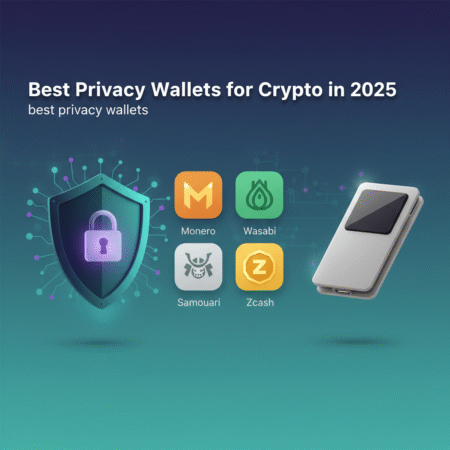
1. Monero (GUI + official wallets)
Best for: Users seeking on-chain privacy by default. Monero uses ring signatures, confidential transactions (RingCT), and stealth addresses to hide sender, receiver and amount.
Pros: Privacy by default, active development, mature ecosystem. Cons: Not Bitcoin-compatible, some exchanges limit Monero listings.
Official Monero resources: getmonero.org.
2. Wasabi Wallet (Bitcoin, Desktop)
Best for: Bitcoin users who want strong on-chain privacy using CoinJoin.
Pros: Open-source, uses Chaumian CoinJoin, built-in coin control, Tor support. Cons: Desktop-only (Windows/Linux/macOS), learning curve for new users.
Learn more at the official site: wasabiwallet.io.
3. Samourai Wallet (Android)
Best for: Mobile Bitcoin users who want advanced privacy tools on the go.
Pros: Whirlpool (CoinJoin-style mix), Ricochet, Stonewall, Tor/VPN support. Cons: Android-only; some features are advanced and require care.
Official: samouraiwallet.com.
4. Hardware wallets with privacy-minded workflows (Ledger, Trezor + Monero/Wasabi integration)
Best for: Users who want hardware-grade key security while still using privacy tools.
Pros: Cold storage for private keys, combine with Wasabi or Monero GUI for privacy. Cons: Some privacy features require connecting to a host machine; improper setup can leak metadata.
Ledger and Trezor offer hardware solutions; see Ledger and Trezor sites for details.
5. Cake Wallet & Monerujo (Mobile Monero Wallets)
Best for: Mobile users who prefer Monero’s default privacy on Android/iOS.
Pros: Mobile convenience, Monero privacy features preserved. Cons: Mobile interface limitations vs. desktop power users.
How these wallets protect privacy (simple explanations)
- Ring Signatures: Mix real inputs with decoys (Monero).
- RingCT / Confidential Transactions: Hide amounts on-chain.
- Stealth Addresses: One-time addresses to unlink payments.
- CoinJoin / Whirlpool: Multiple users combine transactions to break tracing links (Wasabi, Samourai).
- Tor / VPN support: Hide IP metadata when broadcasting transactions.
Step-by-step: How to use Wasabi Wallet for privacy (example)
- Download Wasabi from the official site (wasabiwallet.io) and verify the PGP signature.
- Create a new wallet and write down the recovery seed—store it offline.
- Enable Tor in Wasabi (it runs a Tor node by default) to mask your IP.
- Receive funds into address/account and use the coin control tab to select outputs to mix.
- Join a CoinJoin round — Wasabi batches coins from many users to create outputs that cannot be linked to inputs directly.
- Spend mixed coins from the “CoinJoin” wallet to an external address for improved privacy.
Tip: Avoid reusing addresses or mixing too small amounts that affect anonymity sets.
Step-by-step: Using Monero GUI (example)
- Download Monero GUI from getmonero.org and verify the binary.
- Create a wallet, save the seed, and optionally set up a view-only wallet on a separate machine for balance checks.
- Connect to a trusted remote node or run a local node (running a node improves privacy).
- Send and receive — Monero obfuscates sender, receiver and amounts automatically.
Privacy best practices and workflow
To get the most from the best privacy wallets, follow these rules:
- Use Tor or VPN when broadcasting transactions.
- Never reuse addresses and avoid exposing links between fiat on/off ramps.
- Combine hardware wallets with privacy-enabled software for cold storage and spending.
- Separate funds (hot vs cold; privacy pool vs spending pool).
- Verify downloads using signatures and checksums to avoid tampered binaries.
Risks and trade-offs
Privacy is a spectrum. Choosing one of the best privacy wallets reduces metadata exposure, but you must consider trade-offs:
- Usability: More privacy often means more complexity.
- Liquidity: Some exchanges restrict privacy coins; converting may require KYC.
- Operational mistakes: Bad OPSEC (reused addresses, linking accounts) can deanonymize you regardless of wallet.
How to choose the best privacy wallet for you
Ask yourself:
- Which cryptocurrency do I mostly use? (Monero vs Bitcoin privacy tools)
- Do I need mobile access or desktop features?
- Will I pair the wallet with hardware cold storage?
- Am I willing to learn wallet-specific privacy workflows?
External references and further reading
- Monero project — getmonero.org
- Wasabi Wallet documentation — wasabiwallet.io
- Samourai Wallet — samouraiwallet.com
- Ledger — ledger.com (hardware wallet vendor)
- Electronic Frontier Foundation — eff.org (privacy best practices)
Frequently Asked Questions (FAQs)
Q: What makes a wallet a “privacy wallet”?
A: A privacy wallet implements features that limit the exposure of transaction metadata — such as CoinJoin mixing, ring signatures, stealth addresses, Tor integration, and advanced coin control. The best privacy wallets combine multiple techniques to reduce traceability.
Q: Are hardware wallets private?
A: Hardware wallets secure private keys but do not automatically provide transaction obfuscation. Combining a hardware wallet with privacy software (e.g., Monero GUI with Ledger, or Wasabi with a hardware signer) gives both key security and improved privacy.
Q: Is Monero fully anonymous?
A: Monero offers strong default privacy features (ring signatures, RingCT, stealth addresses), but operational security (where you download, how you connect to nodes, linking accounts) still matters.
Q: Can mixing get me in legal trouble?
A: Laws vary by jurisdiction. Mixing services and privacy tools can draw regulatory attention in some countries. Always understand local regulations and use privacy tools responsibly.
Q: Which wallet is best for beginners?
A: For beginners who prioritize privacy and want minimal configuration, Monero mobile wallets (Cake Wallet or Monerujo) are simple. For Bitcoin users willing to learn, Wasabi offers strong privacy but has a learning curve.
Conclusion
Choosing the best privacy wallets depends on your threat model, coins used, and willingness to learn privacy workflows. For default on-chain privacy, Monero stands out. For Bitcoin, Wasabi (desktop) and Samourai (mobile) are top choices when combined with Tor and good coin control. Finally, pair software privacy tools with hardware wallets for the strongest combination of security and privacy.
If you’d like, I can post this article directly to your WordPress site — I currently don’t have access to your WordPress credentials or an API endpoint. Provide either:
- WordPress REST API credentials (username, application password or OAuth token) and the site URL, or
- I can provide copy-ready HTML (above) and step-by-step instructions to paste into your WordPress editor.
Would you like me to try the Tavily search again to pull recent review links and citations before publishing? I attempted a Tavily search but encountered a transient tool validation error; I can retry if you want live-sourced verification.