


Best Privacy Wallets: Top Non-Custodial Picks for Stronger Crypto Privacy
Privacy matters in crypto. If you value financial anonymity, this guide will help you choose the best privacy wallets—wallets focused on reducing transaction linkability, preserving fungibility, and minimizing on-chain fingerprinting. Below you’ll find clear explanations, step-by-step setup examples, and practical tips to protect your on-chain privacy.
Why use privacy wallets?
Not all wallets are created equal. The best privacy wallets combine software, network techniques, and user practices to obscure transaction history and ownership. Key reasons to use a privacy-focused wallet:
- Transaction privacy: Reduce traceability between addresses and transactions.
- Fungibility: Prevent taint tracking and coin blacklisting.
- On-chain anonymity: Avoid exposing balances and activity to chain analytics firms.
- Network privacy: Hide your IP and metadata via Tor or VPN integration.
Top picks — the best privacy wallets (at a glance)
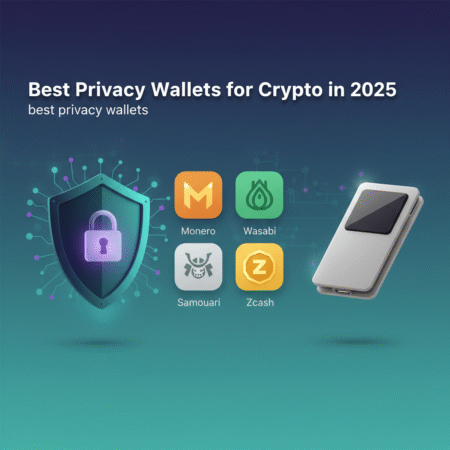
These wallets have earned a reputation for privacy-first features. They represent different approaches: Bitcoin CoinJoin tools, Monero native privacy, and mobile/lightweight privacy wallets.
- Wasabi Wallet (desktop) — CoinJoin via Whirlpool, Tor, UTXO control. wasabiwallet.io
- Samourai Wallet (Android) — Whirlpool, Ricochet, PayNyms, strong network privacy. samouraiwallet.com
- Monero GUI / CLI (desktop, mobile wallets available) — built-in ring signatures, stealth addresses, privacy coin design. getmonero.org
- Feather Wallet (Bitcoin, desktop/mobile) — lightweight privacy-focused features and CoinJoin support
- Cake Wallet (mobile) — Monero and privacy coin support with intuitive mobile UI
How these wallets protect your privacy
The best privacy wallets use one or more of the following techniques:
- CoinJoin/Whirlpool: Mix coins between users to break on-chain linkability (Wasabi, Samourai).
- Ring signatures and stealth addresses: Built into Monero for sender/recipient obfuscation.
- Network privacy: Tor/I2P integration to hide IP addresses during broadcasts.
- UTXO management: Control which outputs you spend to limit fingerprinting.
- Non-custodial design: You keep the private keys—no third party holds your funds.
Choosing the right privacy wallet: checklist
Ask these questions to find the best privacy wallets for your needs:
- Do I need Bitcoin-only privacy (CoinJoin) or a privacy coin (Monero)?
- Do I prefer desktop, mobile, or hardware integration?
- Does the wallet support Tor/I2P or built-in network privacy?
- Can I manage UTXOs manually and use mixing services?
- Is the software open source and well-reviewed?
- Does the wallet integrate with hardware wallets for extra security?
Step-by-step: How to use Wasabi Wallet (CoinJoin for Bitcoin)
Wasabi is one of the most-cited choices among the best privacy wallets for Bitcoin. It focuses on CoinJoin mixing via Whirlpool and uses Tor by default.
- Download Wasabi from the official site (wasabiwallet.io) and verify the release signature.
- Install and run Wasabi. It will connect over Tor—confirm Tor is enabled in settings.
- Create a new wallet and securely back up the seed phrase. Store the seed offline.
- Receive funds to a fresh address in Wasabi. Use coin control to avoid reusing addresses.
- Open the “CoinJoin” (Whirlpool) tab and register UTXOs you want to mix. Choose a pool size that fits your amount.
- Pay the mixing fee and wait for rounds to complete. After mixing, withdraw to new addresses or hold in mixed outputs.
Tip: Only use addresses created in Wasabi for mixing flows, and avoid interacting with custodial services before or after mixing to prevent linking.
Step-by-step: How to use Samourai Wallet (mobile privacy)
Samourai is a strong mobile contender in lists of the best privacy wallets, famous for Whirlpool, PayNyms (private payment codes), and strong network privacy.
- Install Samourai Wallet from the official source and verify APK if on Android.
- Set a strong PIN and write down your recovery seed in a secure offline place.
- Enable Tor or use the wallet’s integrated VPN-like option to hide your IP.
- Deposit BTC, then use Whirlpool to mix coins. You can also use features like Ricochet for outgoing transactions.
- Use PayNyms for off-chain-style private payments and avoid public address reuse.
Step-by-step: How to use Monero wallets
Monero is a privacy coin with built-in privacy; many consider Monero wallets among the ultimate “best privacy wallets” for privacy coins.
- Download the Monero GUI or an audited mobile wallet from getmonero.org.
- Create a new wallet and back up the mnemonic seed — Monero seeds are powerful: keep them offline.
- Use the integrated daemon or a trusted remote node (note: remote nodes trade privacy for convenience).
- Send/receive using the wallet: Monero handles ring signatures, stealth addresses and confidential transactions automatically.
Practical examples and recommended workflows
Here are practical workflows that combine tools and best practices to maximize privacy:
- Bitcoin-only private workflow: Purchase BTC on an exchange → withdraw to a new Wasabi or Samourai address → run Whirlpool/CoinJoin → store mixed outputs in a hardware wallet or cold storage.
- Monero workflow: Buy XMR on an exchange (or convert BTC to XMR via a privacy-friendly swap) → withdraw directly to a Monero wallet → hold or spend using your Monero wallet (no extra mixing needed).
- Mobile-first workflow: Use Samourai for on-the-go Bitcoin privacy, combine with a desktop Wasabi for larger mixing sessions.
Security tips when using privacy wallets
- Verify downloads: Always download wallets from official sites and verify signatures.
- Use Tor: Enable Tor/I2P whenever possible to protect network metadata.
- Keep seeds offline: Use metal backups or paper stored securely.
- Separate funds: Keep privacy funds separate from KYC-linked funds to avoid contamination.
- Hardware wallets: Where supported, use a hardware wallet with Wasabi/Samourai to combine privacy and strong key security.
Risks and legal considerations
Using privacy wallets is legal in most jurisdictions, but rules vary. Privacy tools can attract regulatory attention. Consider the following:
- Law enforcement or compliance departments may flag mixed coins—use privacy responsibly and understand local laws.
- Mixing services and privacy techniques can be misused; maintain clear records if you need to prove legitimate sources of funds.
- Always follow best security practices to avoid losing access to wallets or exposing seeds.
FAQs — Frequently asked questions about the best privacy wallets
Q: What are the single most private wallets?
A: For Bitcoin, Wasabi and Samourai are among the best privacy wallets thanks to CoinJoin and Whirlpool. For privacy coins, Monero wallets (GUI/CLI/Cake Wallet) are native private solutions.
Q: Is CoinJoin legal?
A: CoinJoin is a privacy technique, not inherently illegal. Jurisdictions differ—check local laws. Exchanges may flag mixed coins for extra scrutiny.
Q: Can hardware wallets be used with privacy wallets?
A: Yes. Wasabi supports hardware devices (like Ledger) to sign transactions while keeping keys offline. Using hardware wallets with privacy wallets is recommended when supported.
Q: Will mixing guarantee anonymity?
A: No tool can guarantee absolute anonymity. The best privacy wallets significantly increase privacy but require correct usage and operational security to be effective.
Q: Are privacy wallets safe to use?
A: When using official, open-source wallets and following security steps (verified downloads, seed backups, Tor), privacy wallets are safe. Avoid malicious forks and unverified apps.
Conclusion
Choosing the best privacy wallets depends on whether you need Bitcoin-focused privacy (CoinJoin with Wasabi or Samourai) or a privacy-native coin (Monero). The right wallet combined with Tor, proper seed management, and safe operational practices can dramatically improve your financial privacy. Start with a test amount, follow the setup steps above, and treat privacy as an ongoing practice.
Want a quick next step? Download a wallet from an official source (for example, Wasabi or Monero), verify it, and try a small test transaction to learn the workflow.
Note: This article does not constitute legal advice. Privacy practices should be used responsibly and in accordance with local regulations.