


Best Privacy Wallets: How to Keep Your Crypto Private in 2025
Privacy is a cornerstone of cryptocurrency use — whether you hold Bitcoin, Monero, or other coins. In this guide we compare the best privacy wallets, explain how they work, show step-by-step setup for top options, and share practical tips to maximize your crypto privacy.
Why privacy wallets matter
Most mainstream wallets prioritize usability, not anonymity. A privacy wallet adds layers that reduce address reuse, obfuscate transaction history, or use privacy-centered blockchains to keep your balances and transfers hard to trace. Choosing one of the best privacy wallets protects you from chain analysis, targeted profiling, and unwanted surveillance.
Top privacy wallets (shortlist)
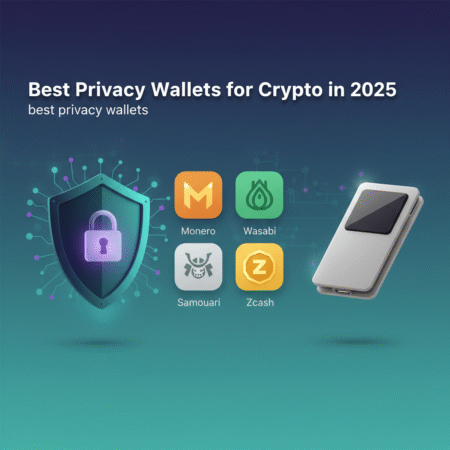
Below are wallet types and examples considered among the best privacy wallets in 2025. Picks focus on proven privacy features, active development, and community trust.
- Wasabi Wallet (Desktop) — CoinJoin for Bitcoin, open-source. wasabiwallet.io
- Samourai Wallet (Android) — Strong Bitcoin privacy tools: Whirlpool, Stonewall, Ricochet. samouraiwallet.com
- Monero GUI & Monerujo (Monero) — Monero is privacy-first by design. getmonero.org
- Sparrow Wallet (Desktop) — Privacy-focused Bitcoin wallet with CoinJoin support.
- Ledger + Privacy Tools (Hardware) — Combine Ledger hardware with privacy software workflows. ledger.com
How privacy wallets protect you — core features
- CoinJoin / CoinSwap: Mixes multiple users’ transactions to break blockchain linkability (Wasabi, Sparrow, Samourai via Whirlpool).
- Stealth addresses / one-time addresses: Avoid address reuse so incoming funds are not obviously linked.
- Ring signatures (Monero): Hide sender among many possible signers.
- Confidential transactions / CT: Conceal amounts (Monero uses RingCT).
- Local validation & SPV: Reduce third-party leaks by validating or using privacy-preserving SPV peers.
Which wallet is best for which user?
Not every wallet suits every user. Choose based on threat model, coin, and technical comfort.
- Beginners: Monero GUI or Monerujo — simple, privacy-by-default for XMR.
- Intermediate (Bitcoin users): Samourai Mobile or Wasabi Desktop — advanced privacy workflows with moderate complexity.
- Advanced / power users: Sparrow + hardware wallet + CoinJoin scheduling — maximum control.
- Hardware-first privacy: Ledger combined with Sparrow or Wasabi for CoinJoin and local signing.
Step-by-step: Setting up Wasabi Wallet (Bitcoin CoinJoin)
Wasabi is one of the leading desktop privacy wallets for Bitcoin. It implements CoinJoin to mix coins and reduce traceability. Follow these steps:
- Download and verify: Get the latest Wasabi release from wasabiwallet.io. Verify the PGP signature or checksum — never skip verification.
- Install and create a wallet: Create a new wallet and write down the seed phrase on paper. Never store seeds in cloud storage or screenshots.
- Fund a coinjoin-ready UTXO: Send funds from a fresh address or small incoming tx. Wasabi works best with amounts above dust and aligned with common denomination amounts.
- Join a CoinJoin: Use the Wallet’s CoinJoin tab to register outputs. Wait for the round to complete and the mixes to confirm.
- Post-join hygiene: Use the mixed coins from the wallet’s new addresses. Avoid consolidating mixed and unmixed coins together, and avoid reuse.
Step-by-step: Using Monero GUI (privacy-by-default)
- Download from official site: Get the Monero GUI from getmonero.org and verify the signature.
- Sync the blockchain or use a trusted remote node: Running a full node provides maximum privacy; remote nodes leak your IP to node operators.
- Create wallet & backup seed: Record the 25-word seed offline. Consider a metal backup for long-term resilience.
- Use subaddresses: Use unique subaddresses for each incoming payment to avoid linking receipts.
Practical privacy checklist (applies to all wallets)
- Always verify downloads and signatures.
- Use fresh addresses for each payment to avoid address reuse.
- Combine hardware wallets with privacy software for better key security.
- Run your own node when possible to avoid third-party metadata leakage.
- Separate identities: Don’t mix KYC exchange withdrawals with privacy wallets directly; use intermediate steps.
- Network privacy: Consider Tor or a VPN when broadcasting transactions. Samourai and Wasabi have Tor support.
Privacy limitations and legal considerations
Privacy wallets significantly raise the bar for chain analysis, but they are not absolute. Law enforcement and chain-analytics firms still use on-chain heuristics, exchanges’ KYC data, and off-chain metadata (IP, timing) to connect activity. Always avoid illegal use — privacy tools are for protecting legitimate privacy interests like financial sovereignty, journalistic safety, and anti-surveillance.
Comparing the best privacy wallets — quick pros & cons
- Wasabi Wallet
- Pros: Strong CoinJoin implementation, open-source, desktop UX.
- Cons: Requires technical steps, desktop-only.
- Samourai Wallet
- Pros: Mobile-first privacy tools (Whirlpool), strong focus on operational privacy.
- Cons: Android-only, closed-source components historically debated by some community members.
- Monero (GUI / Monerujo)
- Pros: Privacy-by-default, stealth addresses, ring signatures, RingCT.
- Cons: Less liquidity and exchange support than Bitcoin; some exchanges limit or delist privacy coins.
- Sparrow Wallet
- Pros: Desktop flexibility, CoinJoin integrations, hardware wallet support.
- Cons: More manual configuration needed for novices.
Frequently Asked Questions (FAQs)
What are the truly best privacy wallets for Bitcoin?
For Bitcoin privacy, Wasabi, Samourai, and Sparrow are top choices. Wasabi and Sparrow offer CoinJoin; Samourai provides Whirlpool and other operational privacy tools.
Is Monero the best option for privacy?
Monero is privacy-first by design and offers stronger default anonymity than Bitcoin. If maximum fungibility and default on-chain privacy are your goal, Monero is an excellent choice.
Can I use a hardware wallet for privacy?
Yes. Use Ledger or similar hardware wallets for secure key storage, and combine them with privacy-focused desktop wallets (Sparrow, Wasabi) for CoinJoin and signing workflows.
Does CoinJoin make my coins illegal?
No. CoinJoin is a legitimate privacy tool. However, some exchanges may flag mixed coins for additional review due to compliance rules. Practice good on-chain hygiene and be prepared to explain the privacy practice to exchanges if necessary.
How often should I run CoinJoin or mix coins?
Mix when you plan to spend or store coins and want to reduce linkability. Frequency depends on how often you receive funds and your threat model — monthly or before large transfers is common for privacy-conscious users.
Conclusion — Choosing among the best privacy wallets
Selecting one of the best privacy wallets depends on your coin choice and operational comfort. For Bitcoin, Wasabi, Samourai, and Sparrow lead the field with mature privacy features. For native privacy, Monero’s GUI and Monerujo give privacy-by-default. Always verify software, use hardware wallets for key security, and follow the practical privacy checklist above.
Ready to protect your crypto privacy? Start by downloading the official wallet from the project website, verify the release signatures, and follow the step-by-step guides in this post. If you want, I can create a WordPress-ready post (with images and affiliate link placements) and walk you through publishing it — tell me whether you use the Classic Editor or Gutenberg and I’ll prepare the final export.
External sources and further reading: