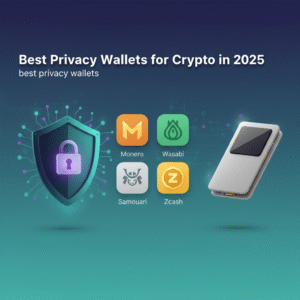


Best Privacy Wallets: A Practical Guide to Private Crypto Storage
Privacy matters in crypto. If you value anonymity or want to minimize traceability for sensitive transactions, choosing one of the best privacy wallets is essential. This guide explains what privacy wallets do, compares top options (software and hardware), and gives step-by-step setup and operational tips so you can keep your funds private and secure.
Why use a privacy wallet?
Most wallet transactions are visible on block explorers and linkable to addresses. Privacy wallets reduce linkability between addresses and transactions and help avoid transaction graph analysis that can reveal balances or spending patterns. The benefits include:
- Improved anonymity — reduces the chance that on-chain activity ties back to you.
- Enhanced security — makes you a less attractive target for doxxing or targeted theft.
- Financial privacy — protects personal spending data from being public.
Criteria: How we pick the best privacy wallets
To recommend the best privacy wallets, we evaluated options against these criteria:
- Privacy guarantees — built-in coinjoin, stealth addresses, or integrated privacy coins.
- Open-source — auditable code reduces backdoor risk.
- Usability — clear UX without sacrificing privacy features.
- Active maintenance — frequent updates and a responsive dev team.
- Compatibility — support for hardware wallets or privacy-focused networks.
Top picks: Best privacy wallets in 2025
Below are the wallets that consistently rank as the best privacy wallets for different needs.
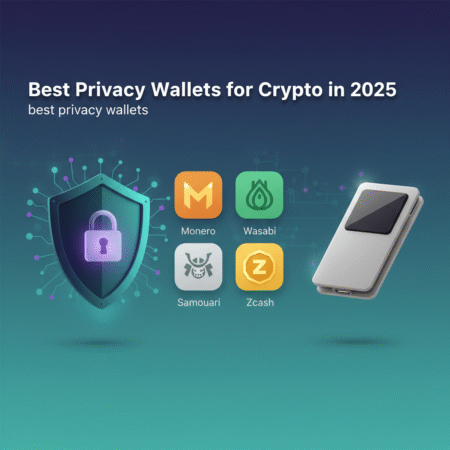
1. Monero (GUI & CLI) — Best for native privacy
Monero is a privacy-first blockchain with ring signatures, ring confidential transactions (RingCT), and stealth addresses built into the protocol. For many users concerned about on-chain privacy, Monero wallets (GUI and CLI) are the default choice.
- Pros: Protocol-level privacy, very strong anonymity set.
- Cons: Not widely accepted on exchanges, larger wallet size and sync time.
Official site: getmonero.org
2. Wasabi Wallet — Best for Bitcoin coinjoin
Wasabi Wallet is a desktop Bitcoin wallet that uses CoinJoin (Chaumian CoinJoin) to mix coins and break linkability. It’s open-source and widely respected by privacy-focused users.
- Pros: Strong coinjoin implementation, UTXO management, Tor integration.
- Cons: Desktop-only (Windows/Mac/Linux), mixing fees and waiting times.
Learn more: Wasabi Wallet and CoinDesk overview: CoinDesk
3. Samourai Wallet — Best mobile privacy for Bitcoin
Samourai Wallet provides advanced privacy features for mobile users, including Stonewall, Ricochet, Whirlpool (coinjoin), and a strong focus on operational privacy.
- Pros: Mobile-first, Whirlpool mixing, large set of privacy tools.
- Cons: Android-only historically (iOS options are limited), learning curve for advanced features.
Official: samouraiwallet.com
4. Hardware wallets (Ledger + Trezor) with privacy workflows — Best for combined security
Hardware wallets like Ledger and Trezor don’t provide privacy on their own, but when used with privacy tools (Wasabi, Samourai via connecting methods or PSBT workflows), they become powerful private storage options. For the highest security and reasonable privacy, combine a hardware wallet and a coinjoin-capable host.
- Pros: Industry-grade security + improved privacy when used correctly.
- Cons: Requires extra steps; some integrations are manual.
5. Privacy-focused multi-coin wallets
Some wallets support privacy features across multiple chains—examples include wallets that integrate privacy coin support or Tor routing. These are useful if you hold a diversified privacy-focused portfolio. Always prioritize open-source and community-reviewed options.
How to choose the right privacy wallet
Choosing among the best privacy wallets depends on what you need:
- If you want native, built-in privacy: choose Monero.
- If you need Bitcoin privacy: Wasabi (desktop) or Samourai (mobile) are top picks.
- If you prioritize security plus privacy: use a hardware wallet together with privacy tools.
- If you want convenience: weigh features against the complexity of coinjoin and mixing fees.
Step-by-step: Setting up privacy with Wasabi + Ledger (example)
This workflow gives strong privacy for Bitcoin while keeping your keys on a hardware device.
- Buy a Ledger from the official store to avoid tampered devices.
- Install the Bitcoin app on Ledger and update firmware.
- Download Wasabi Wallet from the official site and verify signatures: wasabiwallet.io.
- Connect Ledger to Wasabi via the recommended PSBT workflow — Wasabi supports hardware devices for signing.
- Send BTC to your Ledger-derived Wasabi addresses and join a CoinJoin round when ready. Follow Wasabi’s coin control and UTXO management guidance.
- After mixing, keep track of labels and separate spending wallets to preserve anonymity for future transactions.
Operational privacy: Best practices
Using the best privacy wallets helps, but operational privacy practices are equally important:
- Use Tor or VPNs when possible; many privacy wallets have Tor integration.
- Avoid address reuse.
- Separate coins for different purposes (savings vs spending).
- Minimize on-chain linking — use coinjoin, stealth addresses, and privacy coins appropriately.
- Be careful with KYC exchanges; withdrawals from these can be linked to your identity.
Risks and legal considerations
Privacy tools are legal in many jurisdictions, but they can attract regulatory scrutiny. Always:
- Understand local laws about mixing and privacy software.
- Do not use privacy tools for illegal activities.
- Recognize that privacy is not perfect — metadata, timing analysis, and off-chain links can still reveal information.
Comparison table (quick)
- Monero: Native privacy, high anonymity.
- Wasabi: Bitcoin CoinJoin, desktop-focused.
- Samourai: Mobile coinjoin (Whirlpool), advanced ops.
- Ledger/Trezor + Privacy Tools: Strong security + privacy when combined.
Frequently Asked Questions (FAQs)
Q: Are privacy wallets legal?
A: In most jurisdictions, privacy wallets and privacy coins are legal. However, regulations vary — check local laws and avoid using privacy tools for illegal activities.
Q: Which are the best privacy wallets for Bitcoin?
A: For Bitcoin, Wasabi Wallet (desktop) and Samourai Wallet (mobile) are widely recognized among the best privacy wallets for BTC privacy because of their CoinJoin implementations.
Q: Do hardware wallets offer privacy?
A: Hardware wallets focus on key security rather than privacy. They provide excellent security and, when combined with privacy tools like Wasabi or Samourai via proper workflows, offer both security and improved privacy.
Q: Will mixing get me flagged?
A: Some services monitor for mixing behavior. Mixing or CoinJoin is legal in many places but may cause additional scrutiny from exchanges or custodial services. Use reputable exchanges and follow compliance guidelines when needed.
Q: How do I maintain long-term privacy?
A: Use a privacy-first workflow: avoid address reuse, use Tor, keep separate wallets for spending, and prefer native privacy coins or coinjoin tools for Bitcoin. Regularly update software and follow community best practices.
Further reading and resources
For deeper dives and downloads, consult the official resources:
- Monero official: https://www.getmonero.org
- Wasabi Wallet: https://wasabiwallet.io
- Samourai Wallet: https://samouraiwallet.com
- Ledger (hardware): https://www.ledger.com
- CoinDesk (privacy coverage): https://www.coindesk.com
Conclusion
Choosing among the best privacy wallets is about matching threat models to tools. If you need protocol-level anonymity, Monero is the clear leader. For Bitcoin privacy, Wasabi and Samourai are top choices, and combining a hardware wallet with coinjoin tools delivers strong security without sacrificing privacy. Follow the operational best practices above and keep software updated — that combination will give you the best balance of privacy and safety.
Ready to publish: Copy the HTML above into your WordPress post editor (Text/HTML mode), set the post title to “Best Privacy Wallets: A Practical Guide to Private Crypto Storage,” add a featured image if available, and use the slug best-privacy-wallets. If you want, I can prepare a publish-ready WordPress XML or connect to your site (you’ll need to provide API credentials).