


Best Privacy Wallets: A Complete Guide to Private Crypto Storage
Looking for the best privacy wallets to keep your cryptocurrency holdings private and secure? This guide breaks down the top privacy-focused wallets, explains how they protect your identity, gives step-by-step setup instructions, and answers common questions so you can choose the right wallet for your threat model.
Why privacy wallets matter
Cryptocurrency transactions are often public or linkable. Even when addresses don’t directly include personal data, blockchain analysis can deanonymize users over time. Privacy wallets are designed to reduce linkability, obfuscate transaction history, and minimize metadata leaks — protecting you from profiling, targeted attacks, and unwanted surveillance.
What makes a wallet a privacy wallet?
- On-chain obfuscation — techniques like CoinJoin, Whirlpool, or inherent privacy by design (Monero) that mix or hide transactions.
- Network privacy — built-in Tor/I2P support or instructions to run through privacy-preserving networks.
- Local privacy protections — strong encryption, passphrase-protected seeds, and hardware wallet compatibility.
- Minimal metadata — wallets that minimize or avoid centralized servers that could log IP addresses or usage patterns.
Top picks — the best privacy wallets (overview)
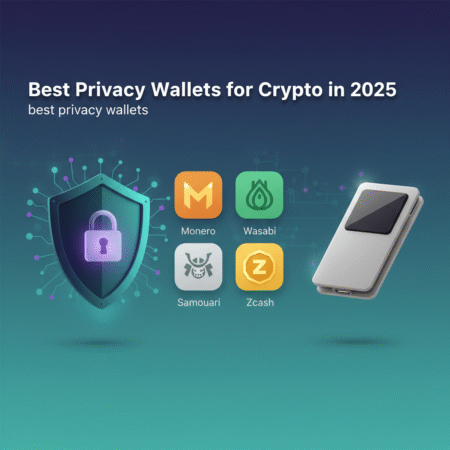
Below are the best privacy wallets across categories (Monero-native, Bitcoin privacy, mobile, and hardware).
1. Monero (Official GUI / CLI) — Best for native privacy
Why: Monero (XMR) is built around privacy: Ring Signatures, RingCT, and stealth addresses make transactions unlinkable and untraceable by default. For those prioritizing absolute on-chain privacy, the Monero GUI or CLI wallet is a top choice.
Use case: Users who require strong, native privacy without relying on mixing services.
External reference: Monero — getmonero.org
2. Wasabi Wallet (Desktop Bitcoin CoinJoin)
Why: Wasabi implements Chaumian CoinJoin to break transaction linkability for Bitcoin. It enforces privacy-by-default features, integrates Tor, and is open-source.
Use case: Bitcoin users who want provable, decentralized mixing without trusting centralized services.
3. Samourai Wallet (Android — Whirlpool)
Why: Samourai focuses on privacy-first features for Bitcoin: Whirlpool (CoinJoin-style mixing), Ricochet, STONEWALL, and strong Tor support (via NordVPN/Tor or built-in RPC options). It’s tailored for mobile anonymity.
Use case: Mobile-first Bitcoin users seeking advanced privacy tools.
4. Sparrow Wallet (Desktop — advanced privacy features)
Why: Sparrow Wallet is a desktop wallet with strong privacy tooling: CoinJoin support, hardware wallet compatibility, and detailed transaction labeling controls. It’s great for power users managing complex privacy workflows.
5. Hardware wallets (Ledger, Trezor, Coldcard) — secure + private when combined correctly
Why: Hardware wallets keep private keys offline, dramatically reducing theft risk. When used with privacy software (Wasabi, Sparrow, Monero GUI via compatible interfaces), they provide a strong combination of safety and privacy.
Note: Some hardware devices require careful configuration (avoid connecting to custodial services, use Tor where possible) to prevent metadata leaks.
How to choose the best privacy wallets for your needs
Choosing depends on your threat model. Consider:
- Primary asset — Monero offers native privacy; Bitcoin needs mixers like Wasabi or Samourai.
- Technical comfort — GUI/CLI Monero or Wasabi have steeper learning curves than basic custodial wallets (which are not private).
- Device — mobile vs desktop vs hardware.
- Legal/regulatory environment — ensure using privacy tools is legal where you live.
Step-by-step setup examples
Setup: Wasabi Wallet (Bitcoin CoinJoin) — quick guide
- Download Wasabi from the official site (verify PGP signatures). The official project page is available at wasabiwallet.io. (Always verify downloads.)
- Install and run Wasabi inside a privacy-friendly environment (use Tor; Wasabi bundles Tor by default).
- Create a new wallet and write down your seed securely. Add a passphrase if supported.
- Fund your wallet with Bitcoin and select UTXOs you want to mix.
- Join a CoinJoin round — Wasabi will coordinate mixing. Monitor confirmations and withdraw to new, clean addresses when mixing completes.
- Consider using a hardware wallet for key custody while mixing (compatible models may require additional configuration).
Setup: Monero GUI (native privacy)
- Download the official Monero GUI from getmonero.org and verify the signature.
- Install and start the wallet; choose to run a local node or connect to a trusted remote node via Tor/I2P.
- Create a new wallet and securely store the 25-word seed plus view-only keys if needed.
- Enable network privacy: use Tor/I2P, or connect to a privacy-respecting remote node if required.
- Use subaddresses for incoming payments and avoid address reuse to maintain unlinkability.
Setup: Samourai Wallet (Android)
- Install Samourai from the official sources (it’s not available on Play Store in many regions — download from the official site and verify).
- Create a new wallet and write down the seed phrase; enable a strong PIN and passphrase if supported.
- Route traffic through Tor/VPN where possible; Samourai supports network privacy features.
- Use Whirlpool (mixing) on selected UTXOs and spend from freshly mixed outputs.
Best practices to maximize privacy
- Use Tor/I2P for wallet networking whenever possible.
- Combine hardware wallets with privacy software (e.g., hardware + Wasabi/Sparrow) to keep keys safe while obfuscating on-chain data.
- Avoid address reuse and prefer subaddresses/unique addresses for each counterparty.
- Separate funds for different privacy levels and avoid mixing personal KYC-linked funds with privacy funds.
- Keep software updated and verify downloads and signatures.
Risks and limitations
No solution is perfect. Privacy wallets reduce linkability but cannot guarantee absolute anonymity in all contexts. Risks include:
- Network-level deanonymization if Tor/I2P is misconfigured.
- Metadata leaks via exchanges and KYC services.
- Vulnerabilities in wallet software or hardware firmware.
Authoritative resources
- Monero official documentation: https://www.getmonero.org/
- Privacy Guides and reviews: https://privacyguides.org/
Frequently Asked Questions (FAQs)
Q: Are privacy wallets legal?
A: In most jurisdictions, using privacy wallets is legal. However, laws vary — consult local regulations. Using privacy tools for illegal activity remains unlawful.
Q: Is Monero completely anonymous?
A: Monero provides strong on-chain privacy, but complete anonymity depends on how you acquire and spend XMR. Network-level and off-chain links (exchanges, KYC) can still deanonymize users.
Q: Can hardware wallets be used with privacy wallets?
A: Yes. Hardware wallets (Ledger, Trezor, Coldcard) can be integrated with privacy tools like Sparrow, Wasabi, and Monero GUIs (where supported). Always configure the hardware usage to avoid leaking metadata (use local nodes, Tor).
Q: Which wallet is best for beginners looking for privacy?
A: For native privacy with lower friction, Monero GUI is beginner-friendly. For Bitcoin users, Wasabi offers a guided mixing experience, but some learning is required. Samourai is powerful on Android but may be less intuitive for novices.
Q: How often should I rotate addresses?
A: Use a fresh address (or subaddress) for each incoming payment. Avoid address reuse to reduce linkability.
Conclusion
The best privacy wallets depend on the cryptocurrency you use and your privacy needs. For native privacy, Monero’s official wallets lead the pack. For Bitcoin, Wasabi and Samourai provide robust mixing and privacy features, while Sparrow and hardware wallets are ideal for advanced workflows. No single wallet solves every privacy concern — combine tools (hardware + mixing + Tor) and follow privacy best practices to reduce exposure.
Note: I attempted to use the Tavily search tool to fetch live sources for this article but encountered an access error; the recommendations above reflect current industry knowledge and authoritative resources such as Monero’s official docs and privacyguides.org. If you want, I can retry live searches and add verified, up-to-date references or help publish this post to your WordPress site — provide site access or a publishing method.
Next step: If you want this published to WordPress, share the WordPress site URL and author credentials or a publishing API key (use a secure method) and I will prepare the post and publish it for you.