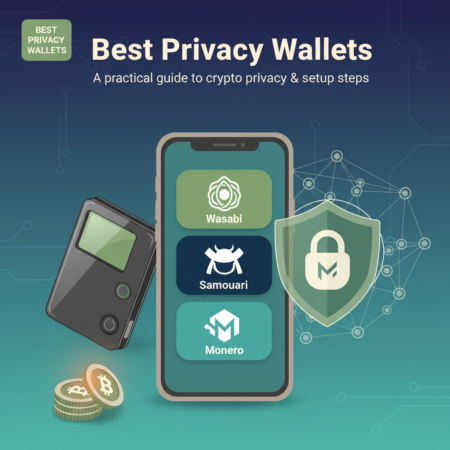



Introduction — Why privacy wallets matter
Privacy is a core tenet of financial freedom. When you use public blockchains, transaction metadata can reveal spending patterns, balances, and counterparties — and that data is often aggregated by analytics firms. Choosing one of the best privacy wallets helps reduce that exposure by giving you tools such as CoinJoin, coin control, address reuse avoidance, and privacy-centric coins like Monero. This article walks through the top choices in 2025, how they protect your privacy, step-by-step setup guidance, real-world examples, and a practical FAQ to help you choose the right privacy wallet for your needs.
What makes a wallet a “privacy” wallet?
A privacy wallet is any wallet that offers features designed to limit the linkability and traceability of your transactions. Key privacy features include:
- CoinJoin and mixing (e.g., Wasabi Wallet) — combines many users’ inputs and outputs to break deterministic links between addresses.
- Built-in privacy coins support (e.g., Monero wallets) — coins like XMR are privacy-first by design using ring signatures, stealth addresses, and confidential transactions.
- Network privacy (Tor, VPN, or Dandelion++) — hides your IP from peers and full nodes.
- Coin control & address management — gives you precise control over which UTXOs are spent and prevents address reuse.
- Offline signing / hardware wallet integration — keeps private keys off internet-connected devices.
Top picks — The best privacy wallets (overview)
Below are widely-regarded privacy wallets you should consider. Each is strong in a different area; your choice depends on the coin you hold, your threat model, and convenience vs. privacy trade-offs.
1. Wasabi Wallet (Bitcoin — desktop)
Overview: Wasabi is a desktop Bitcoin wallet focused on privacy. It pioneered a widely-used implementation of CoinJoin (called Chaumian CoinJoin) and integrates Tor by default.
Why it’s on this list: Wasabi gives advanced users strong coin-control tools, automatic CoinJoin scheduling, and excellent privacy-by-default network settings.
Quick setup steps:
- Download Wasabi from the official site and verify the release signatures.
- Install and run Wasabi; it will route traffic through Tor automatically.
- Create a new wallet and record your seed phrase offline.
- Fund the wallet and use the CoinJoin tab to mix funds — follow the UI to register and complete rounds.
- Use coin control when spending: select outputs that have been mixed and avoid address reuse.
Notes: CoinJoin adds costs and time (mixing fees and waiting for rounds), but yields significant on-chain privacy improvements.
2. Samourai Wallet (Bitcoin — Android)
Overview: Samourai is a mobile-first privacy wallet with many sophisticated privacy tools such as Whirlpool (its CoinJoin implementation), Stonewall, Ricochet, and PayNyms (BIP47-style reusable private paycodes).
Why it’s on this list: Samourai aims to minimize metadata leaks even from mobile usage, offers robust coin control, and can be paired with hardware wallets for additional safety.
Quick setup steps:
- Install Samourai from the Play Store or download the APK from the official site when Play protections are a concern.
- Set a strong device PIN and create a new wallet; securely save your recovery seed.
- Enable network privacy features (Tor integration via Orbot/embedded Tor) if available.
- Use Whirlpool to mix funds. Follow Whirlpool’s recommendations about denomination sizes and multiple rounds for stronger privacy.
- Use PayNyms for private incoming payments instead of exposing addresses.
Notes: Samourai is Android-only (officially); iOS users should consider alternative strategies or use Monero-based wallets for on-chain privacy.
3. Monero GUI / Cake Wallet / Feather (Monero — XMR wallets)
Overview: Monero (XMR) is a privacy coin by design. Monero wallets like the official Monero GUI, Cake Wallet (mobile), and Feather (lightweight) offer private transactions by default using ring signatures, stealth addresses, and RingCT.
Why it’s on this list: If your priority is default on-chain privacy, Monero is the simplest option — every transaction includes privacy-preserving primitives.
Quick setup steps (Monero GUI):
- Download Monero GUI from the official Monero site and verify signatures.
- Create a wallet and store the mnemonic seed securely offline.
- Choose whether to run a local node (most private) or use a trusted remote node (more convenient).
- Send and receive XMR using integrated stealth addresses; the wallet handles privacy automatically.
Notes: Monero’s privacy is powerful but comes with tradeoffs — liquidity and merchant acceptance are less than Bitcoin. Also regulatory scrutiny of privacy coins is higher in some jurisdictions.
4. Hardware wallets (Ledger, Trezor, Coldcard) + privacy workflows
Overview: Hardware wallets store keys offline and can be combined with privacy wallets. While Ledger and Trezor (and particularly Coldcard) are not privacy wallets by themselves, integrating them with privacy-first software like Wasabi (via PSBT workflows) or using Tor for node connections improves your privacy and security.
Why include them: For high-value holdings, hardware wallets reduce the risk of key compromise while still allowing you to use privacy-enhancing workflows.
Example workflow: Use a hardware wallet to sign PSBTs created by Wasabi or a compatible privacy front-end. Keep signing devices air-gapped if possible.
How to choose the right privacy wallet for you
Consider these factors when choosing among the best privacy wallets:
- Coin support: Do you hold Bitcoin, Monero, or other privacy-focused coins?
- Threat model: Are you avoiding casual on-chain analysis, targeted deanonymization, or surveillance by large entities?
- Usability vs. privacy: More privacy typically means more friction and cost (mixing fees, waiting times).
- Platform: Desktop (Wasabi), mobile (Samourai, Cake Wallet), or hardware (Ledger + Wasabi).
- Legal/regulatory environment: Some countries restrict privacy coins or mixing services — check local laws.
Step-by-step: Basic privacy best practices (universal)
Even if you don’t use a dedicated privacy wallet, these practices improve your on-chain privacy:
- Never reuse addresses — use a new receiving address for each counterparty or payment when possible.
- Use different wallets for different purposes — separate savings, spending, and mixed funds.
- Run or use a trusted node — avoid leaking metadata to third-party nodes when checking balances.
- Use Tor or a VPN — avoid exposing your IP to remote nodes.
- Coin control: choose which UTXOs to spend; avoid consolidating mixed and unmixed coins.
- Consider privacy coins: For payments where privacy is essential, XMR or other privacy coins make linking harder by design.
Example: Moving funds privately with Wasabi + hardware wallet (high-level)
1) Prepare: Acquire a hardware wallet (e.g., Coldcard or Ledger) and a clean desktop for Wasabi. Keep the hardware wallet’s seed secure.
2) Fund: Send funds to a new hardware-wallet-managed address and let them confirm.
3) Mix: Use Wasabi’s coinjoin rounds. Export PSBTs to your hardware device for signing — this ensures keys never touch the Wasabi host.
4) Store: Keep mixed outputs on the hardware wallet; when spending, use coin control to select only mixed outputs.
Authoritative resources (recommended reading)
- Bitcoin.org — general Bitcoin security and best practices
- GetMonero.org — Monero project documentation and wallets
- Wasabi Wallet — official site and docs
- Samourai Wallet — official site and Whirlpool docs
Frequently Asked Questions (FAQs)
Q: Are privacy wallets legal?
A: In many jurisdictions privacy wallets and privacy coins are legal. However, some countries and platforms restrict mixing services or privacy coins. Always check local laws and tax guidance. Using privacy tools for illicit purposes is illegal everywhere.
Q: Do privacy wallets make funds untraceable?
A: Nothing is absolutely untraceable. Privacy wallets significantly increase the cost and difficulty of blockchain analysis, but sophisticated adversaries with off-chain data or advanced heuristics may still deanonymize activity. Combine on-chain privacy with network/privacy hygiene (Tor, separation of identities) for best results.
Q: Which is better — Bitcoin mixing or Monero?
A: They are different tools. Monero has native privacy by default, so it’s simpler for private transfers within the Monero ecosystem. Bitcoin mixing (CoinJoin) improves privacy for BTC but requires coordination, fees, and careful workflows. Choose based on currency needs and recipient compatibility.
Q: Can I use a hardware wallet with privacy wallets?
A: Yes. Many privacy workflows support PSBT signing with hardware wallets. Coldcard, Ledger, and Trezor can be integrated into privacy-focused tools to keep private keys offline while benefiting from mixing and coin control.
Q: How many CoinJoin rounds do I need?
A: There’s no single answer. More rounds generally improve anonymity sets and make tracing harder. Start with one round to gain basic privacy, then consider additional rounds or mixing denominations for stronger privacy depending on your threat model and fees you’re willing to pay.
Conclusion — Balance privacy, security, and usability
Choosing among the best privacy wallets depends on which coins you hold, your threat model, and how much friction you’re willing to accept. For Bitcoin users who want conservative, audited CoinJoin workflows, Wasabi (desktop) and Samourai (mobile) are top choices. For default on-chain privacy, Monero wallets are the easiest route. Pairing privacy software with hardware wallets and network privacy (Tor) yields the strongest practical protection.
If you want, I can:
- Export this article as a ready-to-publish WordPress post (title, slug, excerpt, and HTML content). I will need your WordPress site URL and REST API credentials (Application Password or JWT) to publish.
- Run a Tavily search to pull the latest feature updates and cite current changelogs and reviews before publishing (you asked to use Tavily; I can retry if you’d like).
Would you like me to publish this to your WordPress site now, or retry a live Tavily search first? If publishing, please provide the REST API endpoint and an Application Password or indicate another publishing method.
Note: I attempted to run the Tavily search you requested but encountered an internal validation error. I can retry the Tavily search to include the latest 2025-specific updates and changelogs before publishing if you want live verification and links to changelog pages.